Catch Up Blog Entry - Making Professional Accounts for Social Media and a Linktree - 12.10.22
For this part of professional development, we would need to make accounts for the different types of social media as this would enable a larger audience to see our work and let potential employeers look at your work.
Setting Up Accounts
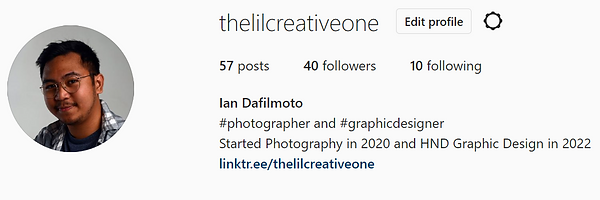
For this, I had to make sure that all of my accounts had sensible account names, that way it would look really professional, and be taken more seriously when connecting with other accounts and potential employers. I also had to put in the bio of each account a description of what type of creative stuff I was putting out on these sites. For this, I put #photographer and #graphicdesigner as this was something that I am known to do. I wanted to put a little bit of personality within my accounts so going for something such as thelilcreativeone makes sure that the account is more geared towards that.
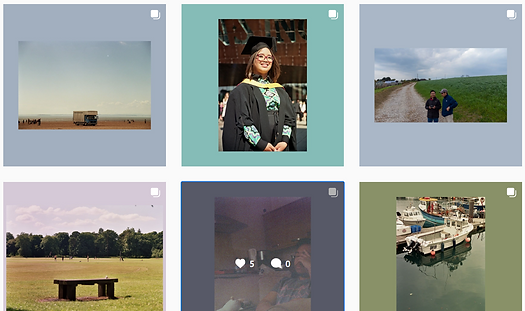
I also like the way that my work gets coloured frames, as this is a signature of my work in this medium. I also try and base those colours in the most neutral tone possible as to not distract the viewer from the image

Having a linktree account also makes it really easy to show others what you have done and to link your accounts together. I have it so all of my professional work accounts are bundled together on one page.
Here shows the newly made Twitter page. The illustrator design that we made was a nice design to use as this is something that can be used as branding, which I have done here.

It might be a good idea to try and follow more people on Twitter and Insta just to see what others are doing and try and see what they do to keep up with their socials. I know that automating posts will be a good idea as I can block off some time to build up some posts over a month and do not have to worry about needing to post stuff as well. I also have some ideas about reels as this would enable me to try and hop onto the bandwagon of reels and short clips as well.